IMPLEMON

IMPLEMON  ·  Independent software studio  ·  Arizona

Small problems are still problems.

Big problems demand attention. They announce themselves, and everyone agrees they are worth stopping for.

Small ones are easier to dismiss. Just remember it. Just write it down. It only takes a minute.

But an ordinary day is made mostly of small things. We take those seriously, and we build software about them.

Nine released · three in development See the work

Recognition

You have had at least three of these this week.

The things that shouldn’t matter this much.

“Did I take it already?”

“I know I saved this somewhere.”

“I wanted to keep a journal. I just didn’t want to journal.”

“Wait, was that 9:10 or 9:15?”

“I’ll write it down later.”

“It’s in here. It’s definitely in here.”

None of these is a big problem.

That is exactly why they tend to stay problems.

The argument

Most ideas do not survive the second half of this.

Small things accumulate.

A large problem gives you permission to stop. You recognize it, name it, tell someone, make a plan. Its size justifies the interruption.

A small one gets none of that. It is postponed, tolerated, worked around, or waved off. By other people first, and then, eventually, by you.

But attention does not scale neatly with importance. A thirty-second task can be deferred for days. A tiny uncertainty can occupy an afternoon. A friction you meet six times a week stops being an event and becomes the texture of the week.

We don’t think being small makes something unworthy of attention.

We also don’t think every inconvenience deserves software. Most don’t. A new app is itself a small problem: one more thing to open, update, decide about, and eventually abandon.

So the question is never whether a problem is big enough to be worth solving. It is whether a small intervention would actually remove the friction, and whether it can do that without quietly becoming a new one.

Sometimes, a little is enough.

The name

Sometimes, a little is enough.

A lemon is rarely the main thing. A slice beside a drink. A squeeze at the end of a dish. A strip of peel dropped in at exactly the right moment.

It cuts through. It brightens. It finishes something that was almost there. Take it away and nothing collapses. Something just feels faintly unfinished.

We like software that behaves the same way. Not another system to maintain. Not something that wants more of your attention than the problem did. Just enough intervention to remove a friction, and then out of the way.

A lemon, halved. Nine segments, fine vesicles, one segment filled in.

Scratch it.

Implement + lemon. It started as a pun. It turned out to be the brief.

The work

Five kinds of friction, and what each one turned into.

What that thinking became.

Each of these started with a specific wall we kept walking into. They look unrelated. They are the same argument, applied five times.

01 Uncertainty

Tap Today

“Did I take it already?”

Taking a daily medication takes about four seconds. Not being sure whether you took it can last the rest of the morning, and the ways out of it are all bad: remember harder, count what’s left in the bottle, or guess.

The action is small. The uncertainty is not proportional to it.

So Tap Today records that you marked a dose, and puts that answer where you are already looking: the Lock Screen, the watch face. Reaching for a phone to answer a four-second question is itself too much friction, which is why the Apple Watch matters here more than it looks like it should.

The action takes seconds. The uncertainty shouldn’t take the day.

Released · iPhone, iPad, Apple Watch · Free
An iPhone Lock Screen with the Tap Today widget reading Did I take it? All done.
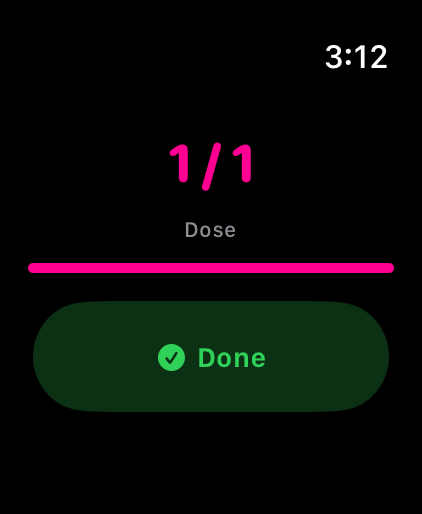
Tap Today on Apple Watch: today’s dose marked 1 of 1, with a Done button.

02 Incompletion

LemonBook

“I’ll organize it later.”

Sometimes you know the amount and nothing else. Sometimes you only have the receipt. Sometimes all you remember is what it was for.

Most money apps treat that as an unfinished form. They want a category, a date, an account, a payee, and the entry you meant to make in four seconds becomes a decision you postpone. Postponed long enough, it is simply gone.

LemonBook starts from a rule instead: one meaningful detail is enough to make an entry. An amount, a title, a note, a category, or a photo of the receipt. Only a completely empty entry is empty.

Incomplete information is still information.

Released · iPhone, iPad · Free, with an in-app upgrade
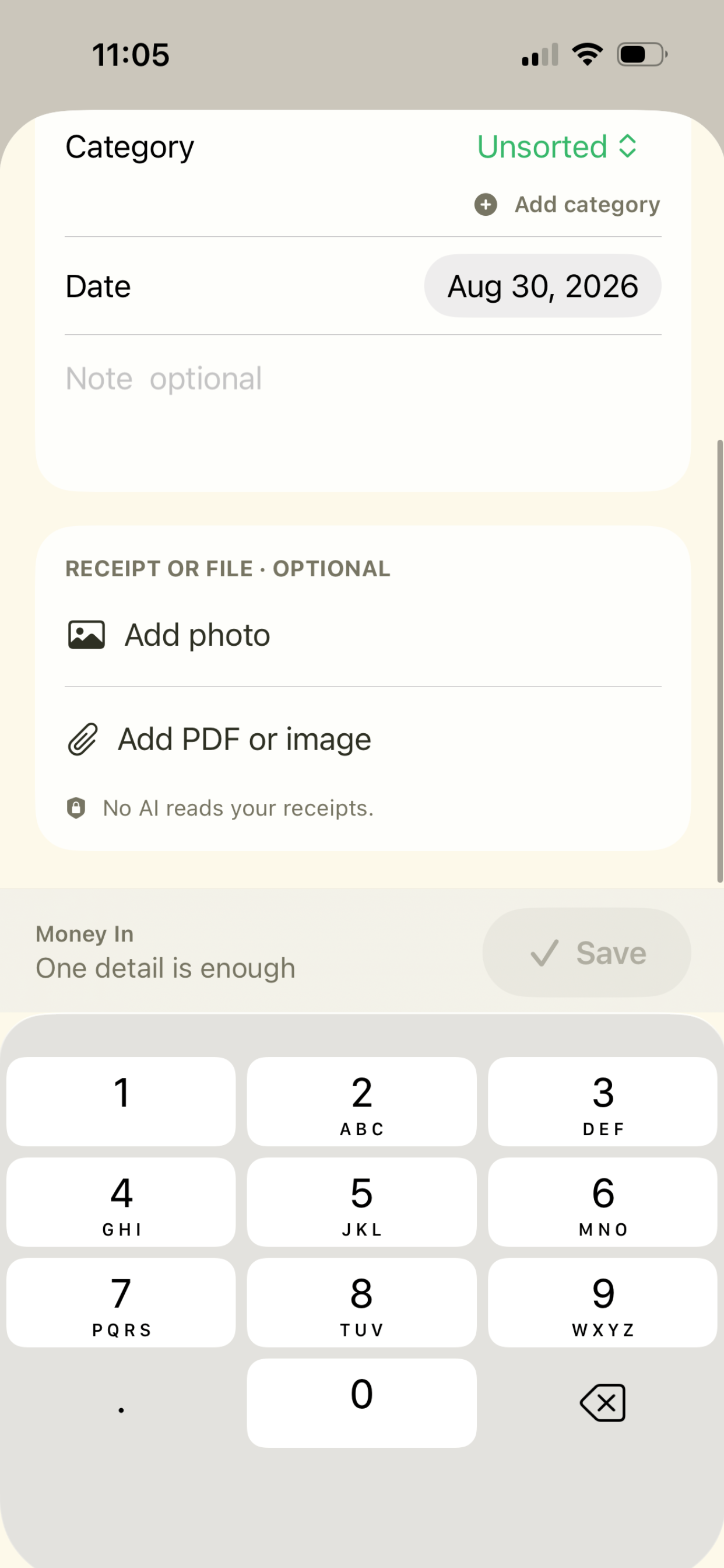
LemonBook offering to attach a photo or a PDF instead of typing the details.
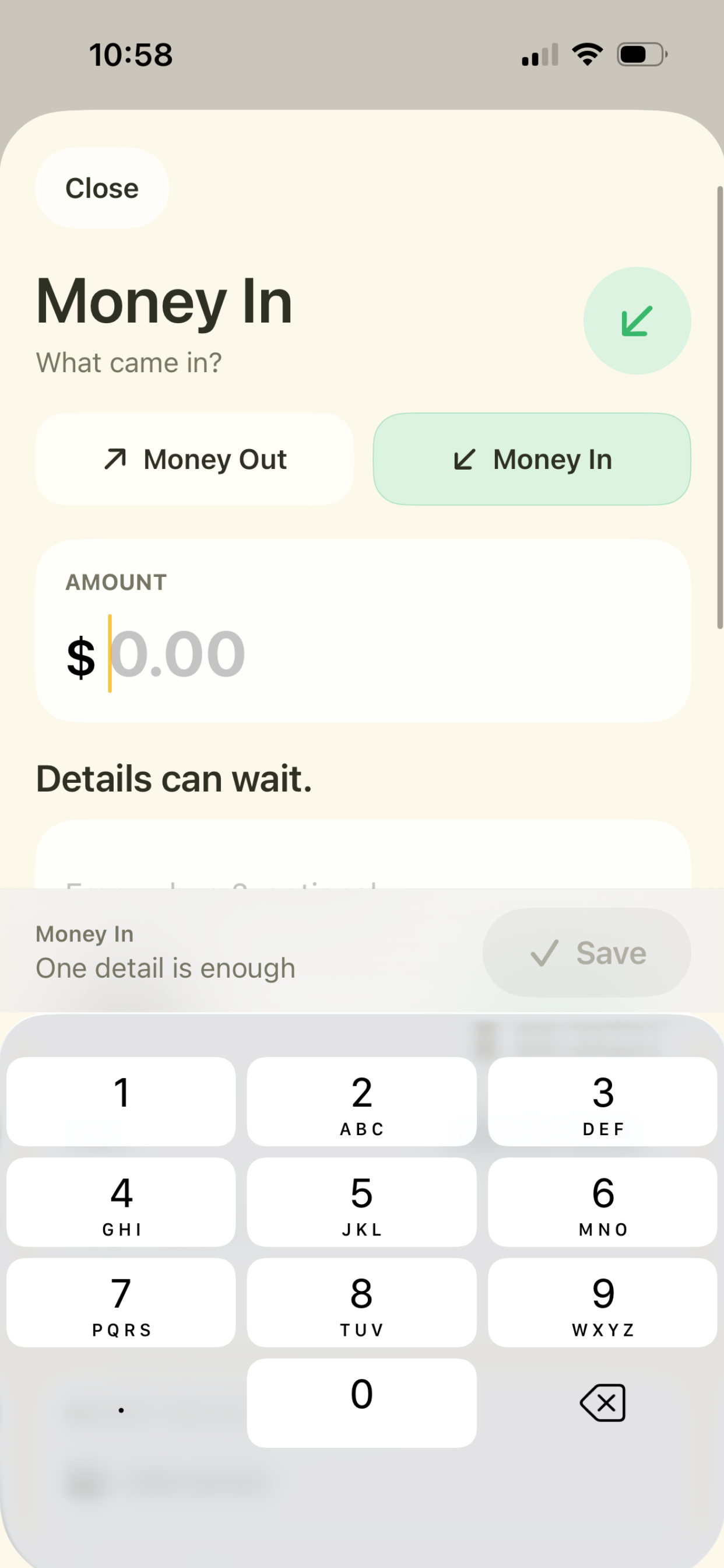
A LemonBook Money In entry with an empty amount field and the note: one detail is enough.

03 Expectation

Pixeconds

“I wanted to keep a journal. I just didn’t want to journal.”

The wish was ordinary: some record of ordinary days. Social media was too public, and never felt like a record of anything. A paper journal never lasted past the third week. Notes turned into a second thing to organize.

Journaling, meanwhile, carried an expectation that it be done properly: regularly, in sentences, with something to say. The expectation had quietly grown larger than the wish.

So: does a day need a paragraph to be remembered? Pixeconds is a rating, a small pixel symbol, and one line if you want one. No streak, no minimum, no blank page waiting to be filled.

A day doesn’t need an essay to be remembered.

Released · iPhone, iPad · Free, with an in-app upgrade
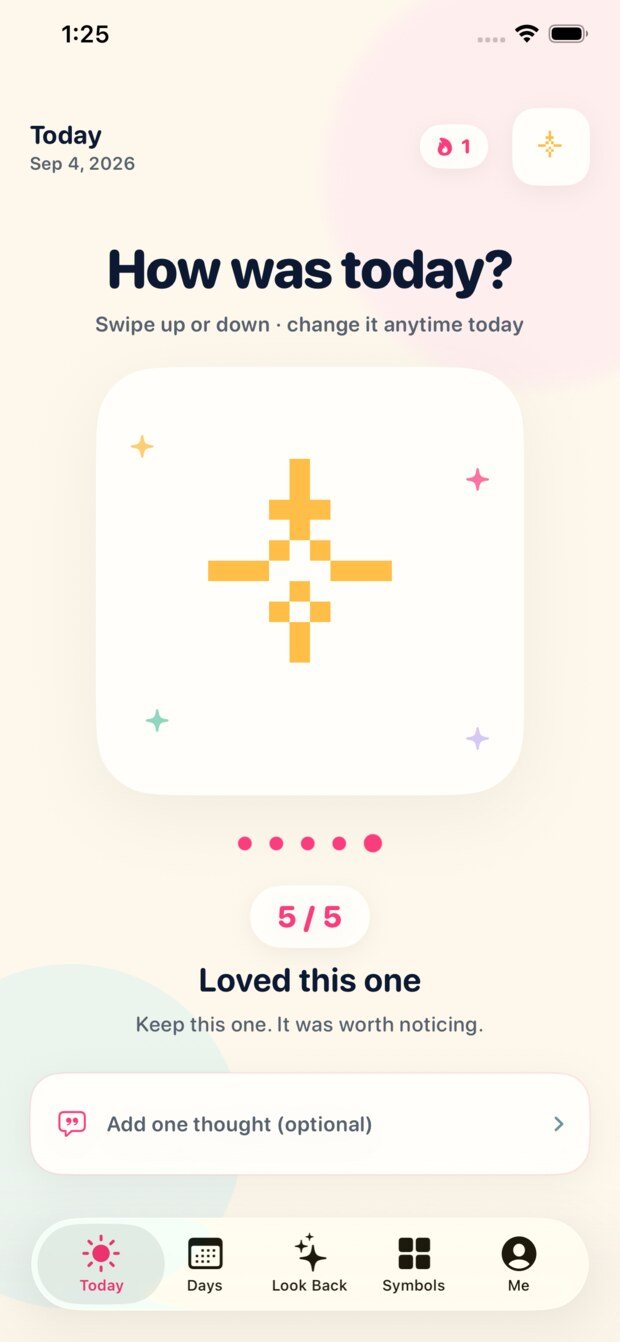
The Pixeconds Today screen: How was today, a five-of-five rating, and a pixel symbol.

04 Retrieval

Have: Document Wallet

“I know I have it somewhere.”

This one began with a bill. We were paying about $49 a year to a well-regarded service to keep important documents safe. One day an attached file would not open.

Support asked us to check the Wi-Fi. Then airplane mode. Then the VPN. Then to find a computer, log in to the website, and work down a list of steps.

The document was ours. The problem was not. And the whole reason for paying was to have it on the phone, quickly, at the moment somebody asked for it.

So Have is built the other way round. Documents live on the device. They open when nothing else is reachable. Front and back stay together. The original file is always exportable. It should still be useful on the day it stops being maintained.

Important shouldn’t mean hard to find.

Released · iPhone, iPad · $2.99, one-time purchase
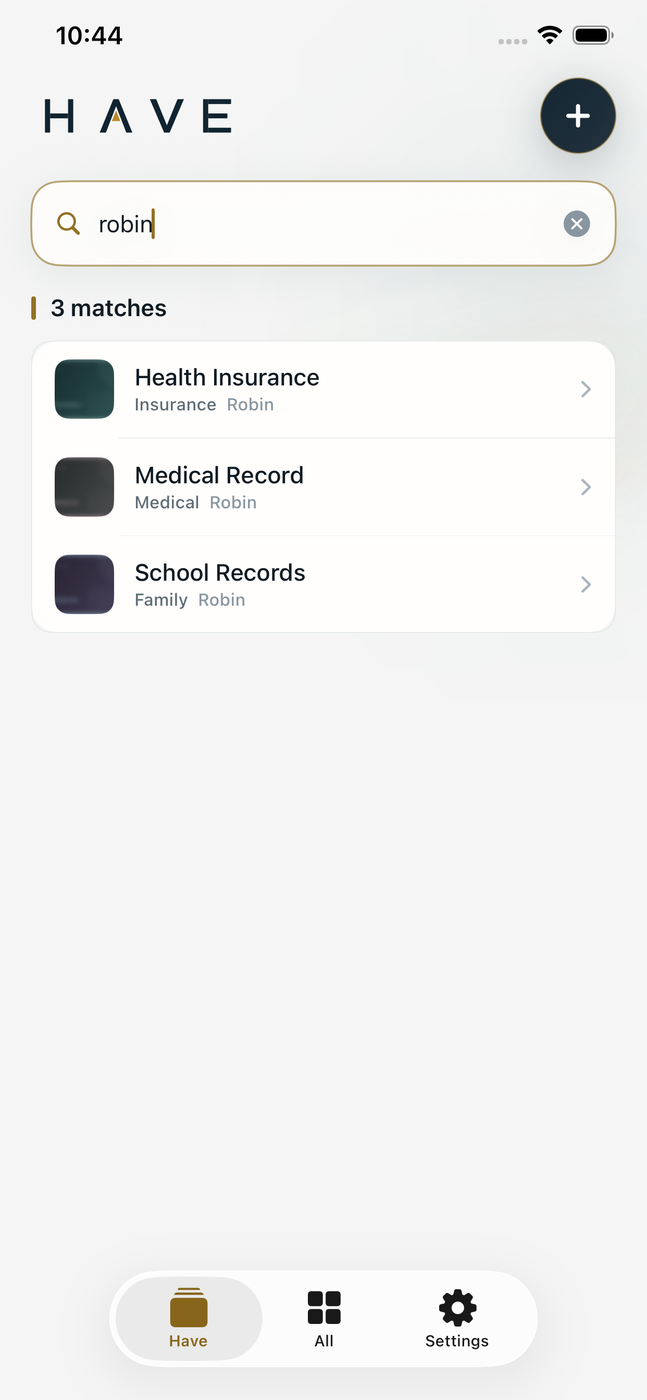
Searching Have for “robin” returns three matching documents.
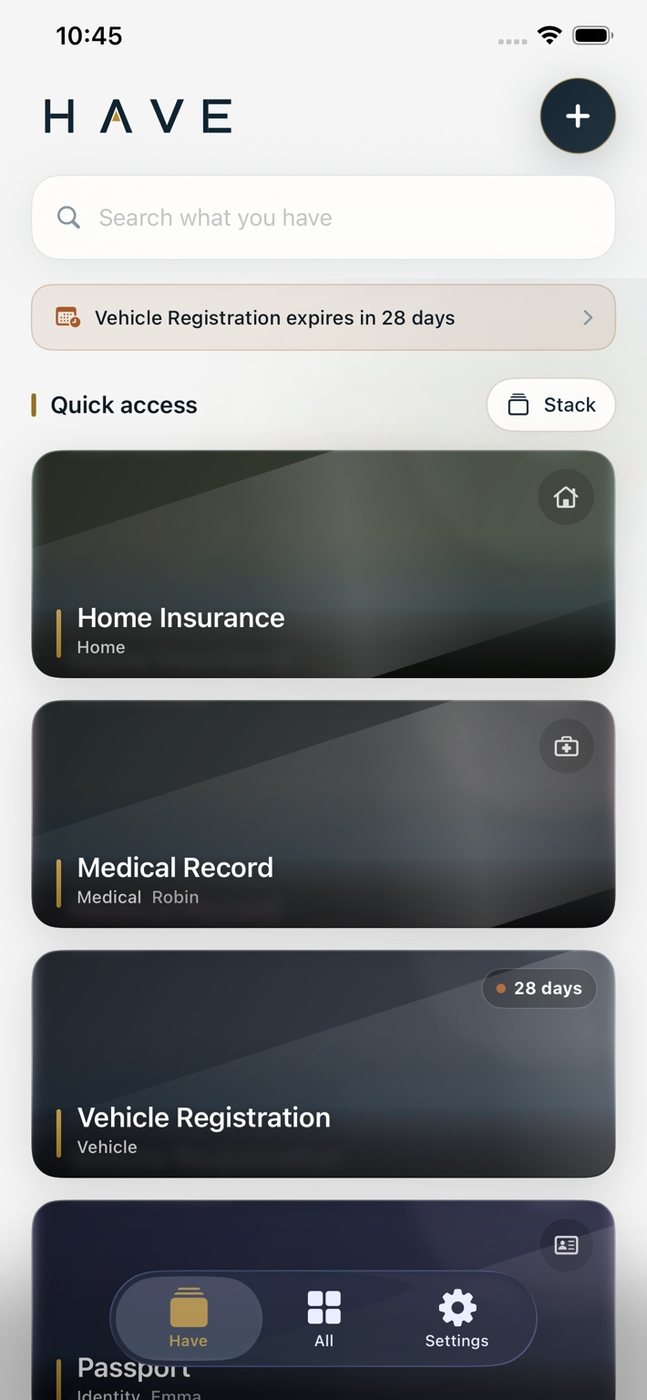
The Have home screen: a stack of quick-access documents with an expiry warning at the top.

05 Repetition

Calemon

“Was that 9:10, or 9:15?”

A semester schedule repeats every week for four months. It is the most predictable information in the day, and it still got checked constantly: the room number, the building, which day the lab was on. Then the schedules outside school, which repeat too.

Opening an app to look up something that has not changed since August is a small absurdity you stop noticing.

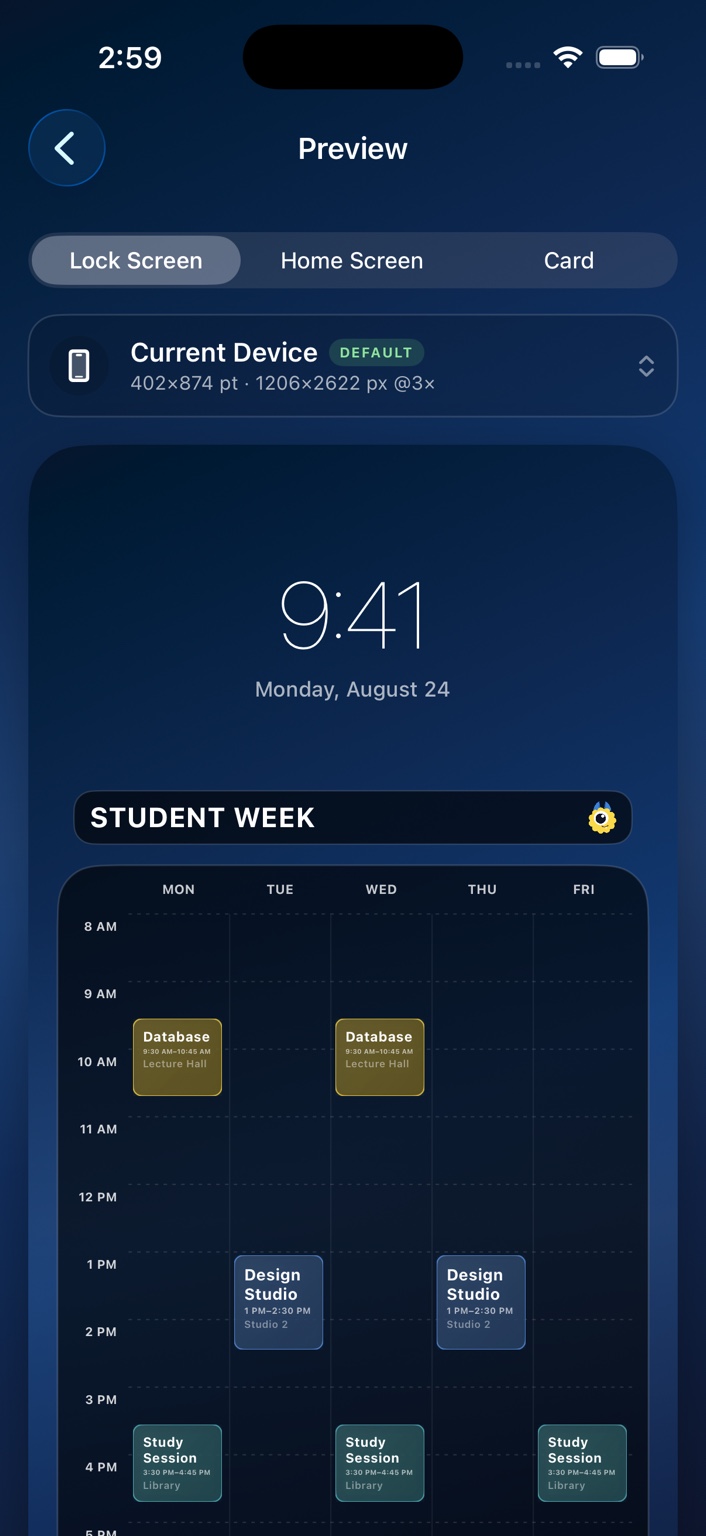
Calemon turns the recurring week into the wallpaper. The Lock Screen is already looked at dozens of times a day, so the schedule goes there. It is not decoration first. It is information moved to where it is repeatedly needed.

Some information shouldn’t need to be opened.

Released · iPhone, iPad · Free, with an in-app upgrade
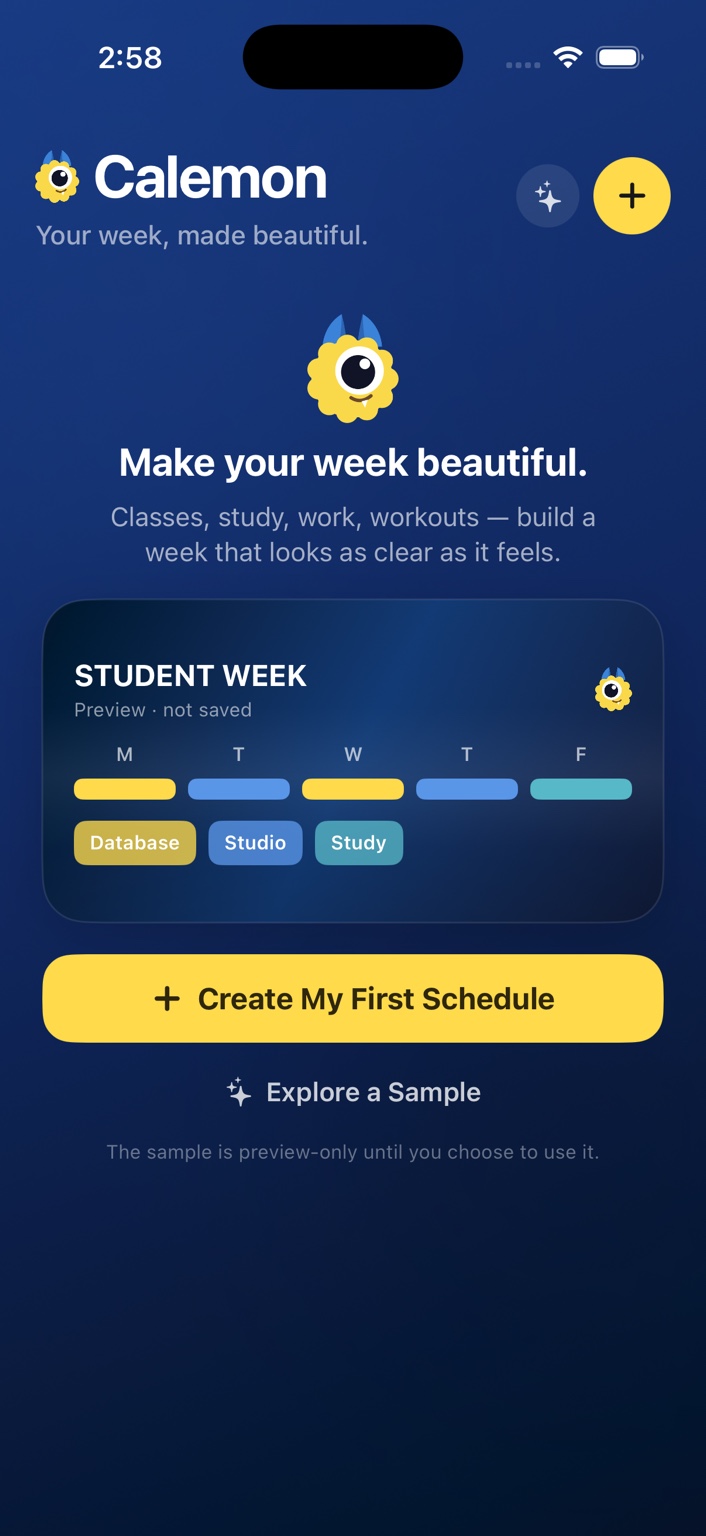
The Calemon home screen with a sample student week schedule.
A Lock Screen preview in Calemon showing a weekly timetable below the clock.

How it goes

One real example, including the part we got wrong.

From friction to something useful.

This is LemonBook, in order. It is the clearest example we have, because the rule arrived early and the flow around it still needed fixing.

Observed

Small amounts went unrecorded, not because entering them was hard, but because finishing the entry needed details we didn’t have yet.

Questioned

Why should missing information prevent capture?

Decided

Incomplete information is still information.

Built

Any one meaningful detail creates an entry: amount, title, note, category, or a receipt. Only a completely empty entry is refused.

Used

Then a later step asked for a choice the person had already made a moment earlier. The rule was right; the flow around it repeated itself.

Changed

Removed the repeated decision.

Still thinking about

Where the incomplete entries should resurface. Left alone they become a pile. Asked about too eagerly they become a chore. We haven’t settled this one.

The cost of that decision

Letting an entry exist with almost nothing in it means the ledger contains rows that can’t be totalled. That is a real cost, and we chose it: a record you can complete later beats a record that was never made.

It is not always this tidy. We notice, build, use, get something wrong, hear about it, and change it. The point is not to follow the process. The point is the question at the end of it:

Did the software actually remove the friction it was made for?

Restraint

Everything below is the same question, asked repeatedly.

We hesitate before adding things.

More features are not automatically more useful. Every button asks for a glance. Every notification interrupts something that was going fine. Every required field is one more decision. Every account is a dependency. Every server is a thing that can be down on the day you need it.

So a feature has to earn the space it takes. Most of what looks like principle here is just that question, asked often enough that it left marks:

No account

An account is a chore for you and a liability for us. None of these apps need to know who you are to do their job.

No server of ours

There is nothing of ours to be down on the day you need the document. That constraint is the feature, and it is also why Have works offline.

On the device

Recognition and analysis run locally, so there is nowhere to send anything. This is a smaller claim than it sounds. It mostly means we didn’t build the part that would need defending.

Your iCloud, not ours

Sync runs through your own private container. We would rather not be the custodian of your documents, your money records, or your dreams.

No AI reading your receipts

It would be there for the announcement, not for the person holding the receipt. If that changes, and it genuinely removes a step, we’ll add it and say why.

It’s saved. Found it. Took it. Done.

One less thing in your head.

Nothing dramatic happened. One small open loop closed. That is the whole feeling we are designing for.

The studio

IMPLEMON is an independent software studio.

We make small, focused software around ordinary friction, from Arizona.

Some products begin with something we keep forgetting. Some begin with an inconvenience that repeats. Some begin with a conversation. Some begin when a tool technically works and using it still feels harder than it should.

Some of us notice the small things. It can be exhausting to notice everything. It is also, occasionally, useful.

We notice. We question. We implement.

Explore the work

Everything we have made.

Status is exactly what it says. Nothing here is listed as available before it is.