IMPLEMON

Work Private research data preparation

Research Data Merger

It can suggest. It does not quietly decide.

Bring participant rosters, survey exports and study files together by ID, while every questionable match stays visible for you to review. Processing stays on your Mac.

Released · v1.0.1Mac · Apple Silicon & Intel$29.99 · one-time purchase, no subscriptionNo uploads
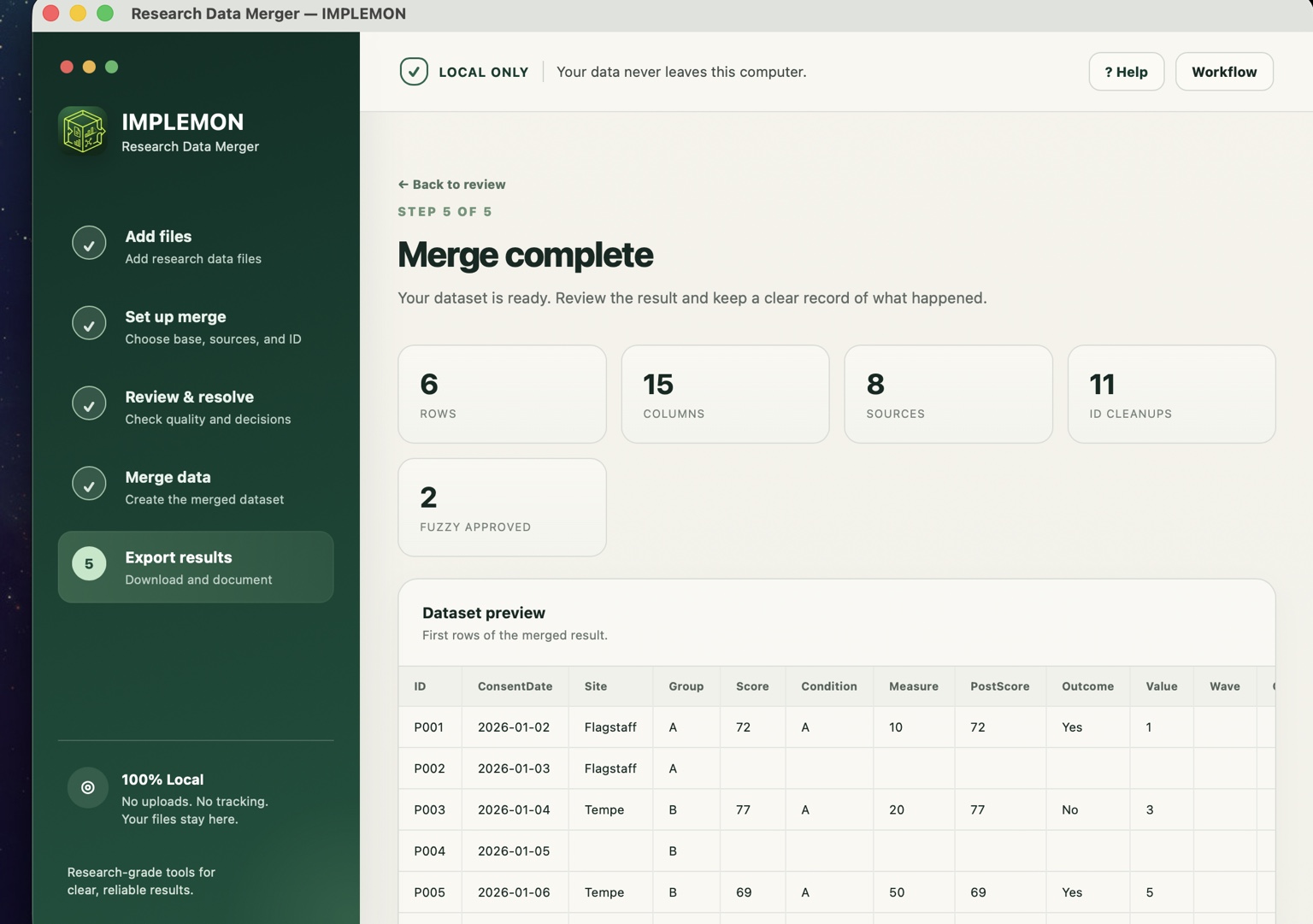
The Research Data Merger merge-complete screen with a dataset preview.

01

Product

What it does

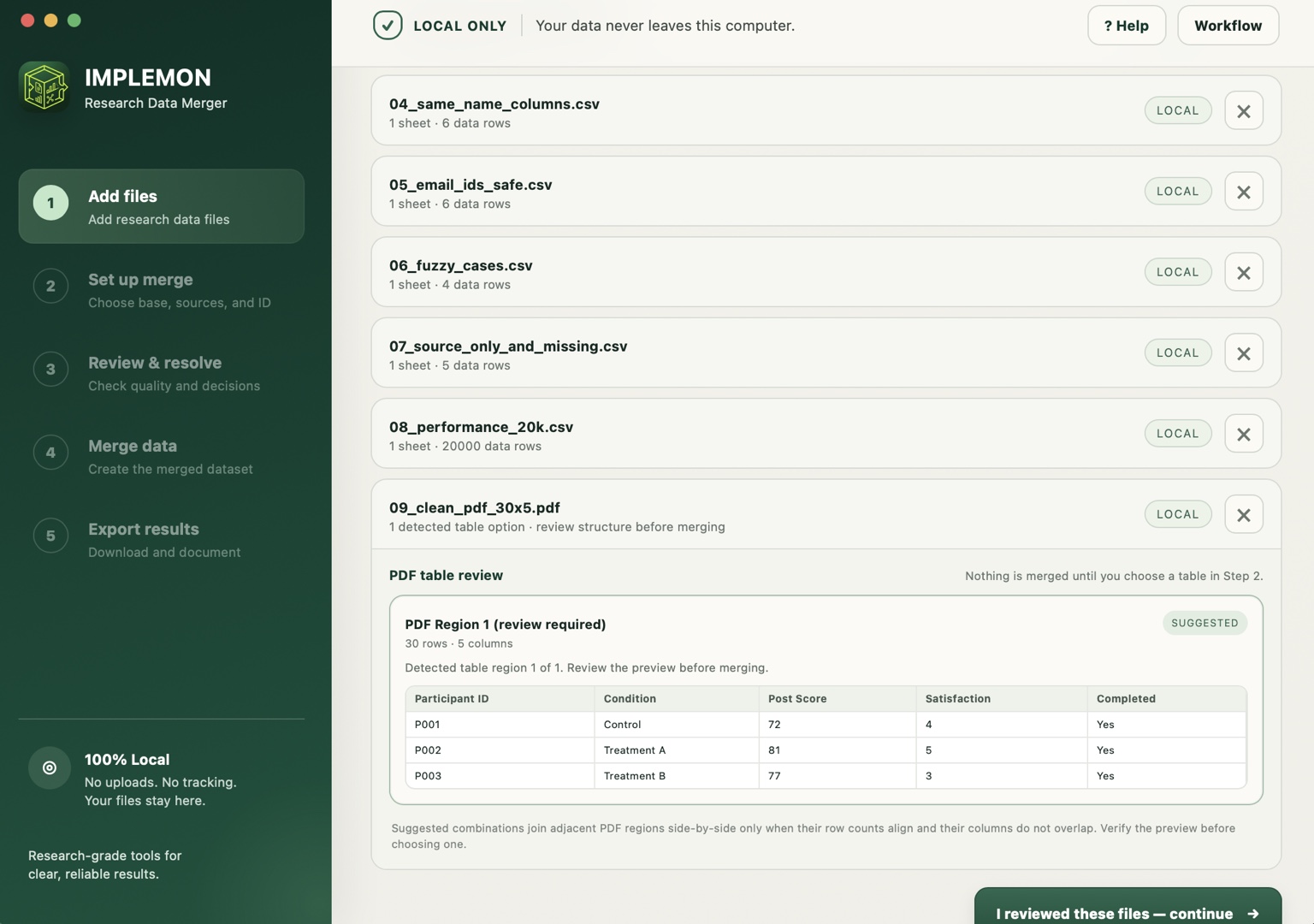
Research Data Merger, with study files added and ready to merge.
The YouTube player is built only when you press play. Nothing is requested from Google before that. Privacy

The workflow

Set it up. Review it. Check the result.

Five steps, in the same order every time, with the review step in the middle rather than bolted on at the end.

  • Add files that belong to the same study
  • Choose IDs: pick the base table and the ID column for each source
  • Review duplicates, formatting issues, near matches and conflicts
  • Approve the suggested changes you agree with
  • Export merged data with audit and provenance records
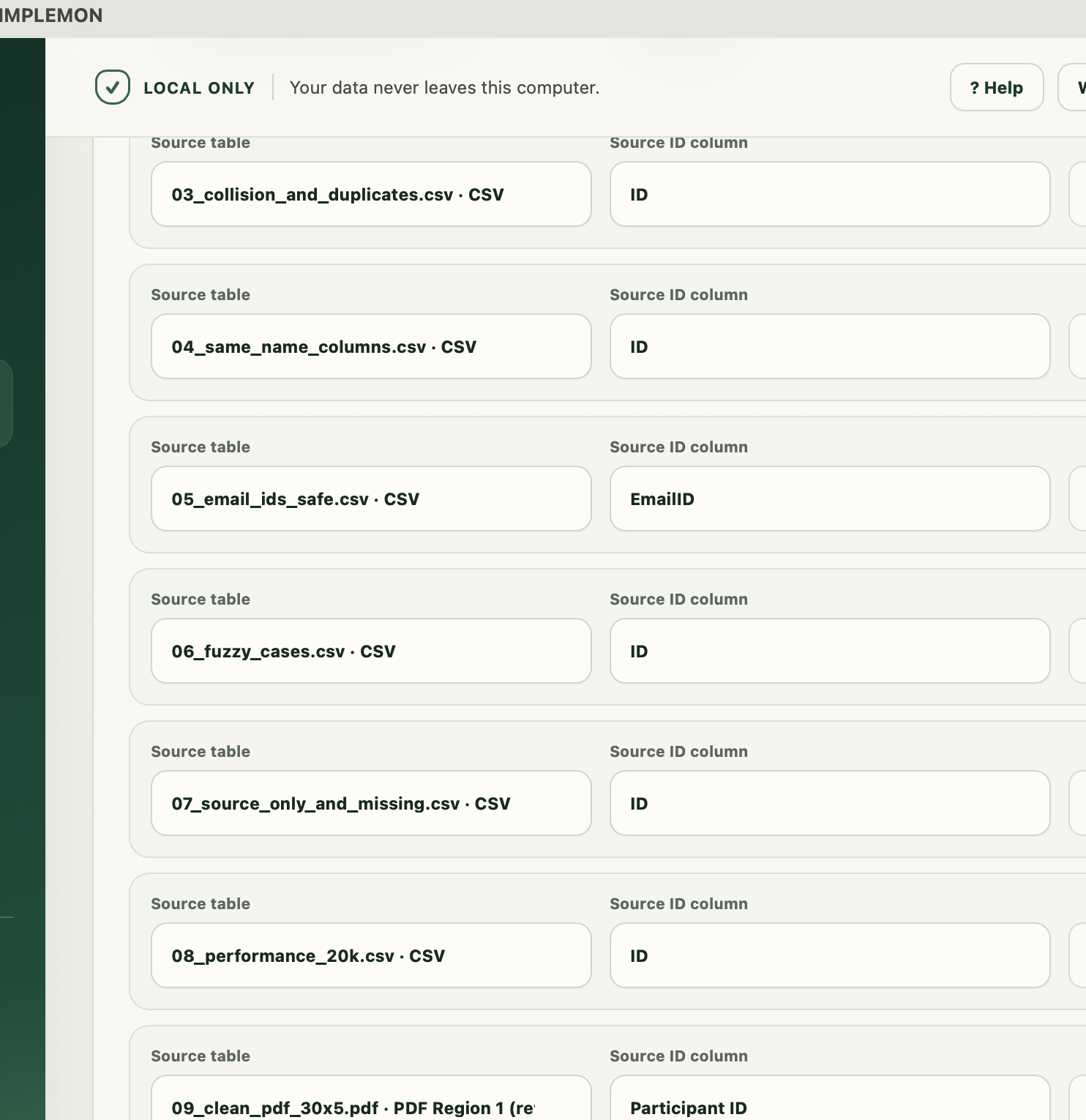
Choosing the base table and ID column for each source.

Review before merge

It can suggest. It does not quietly decide.

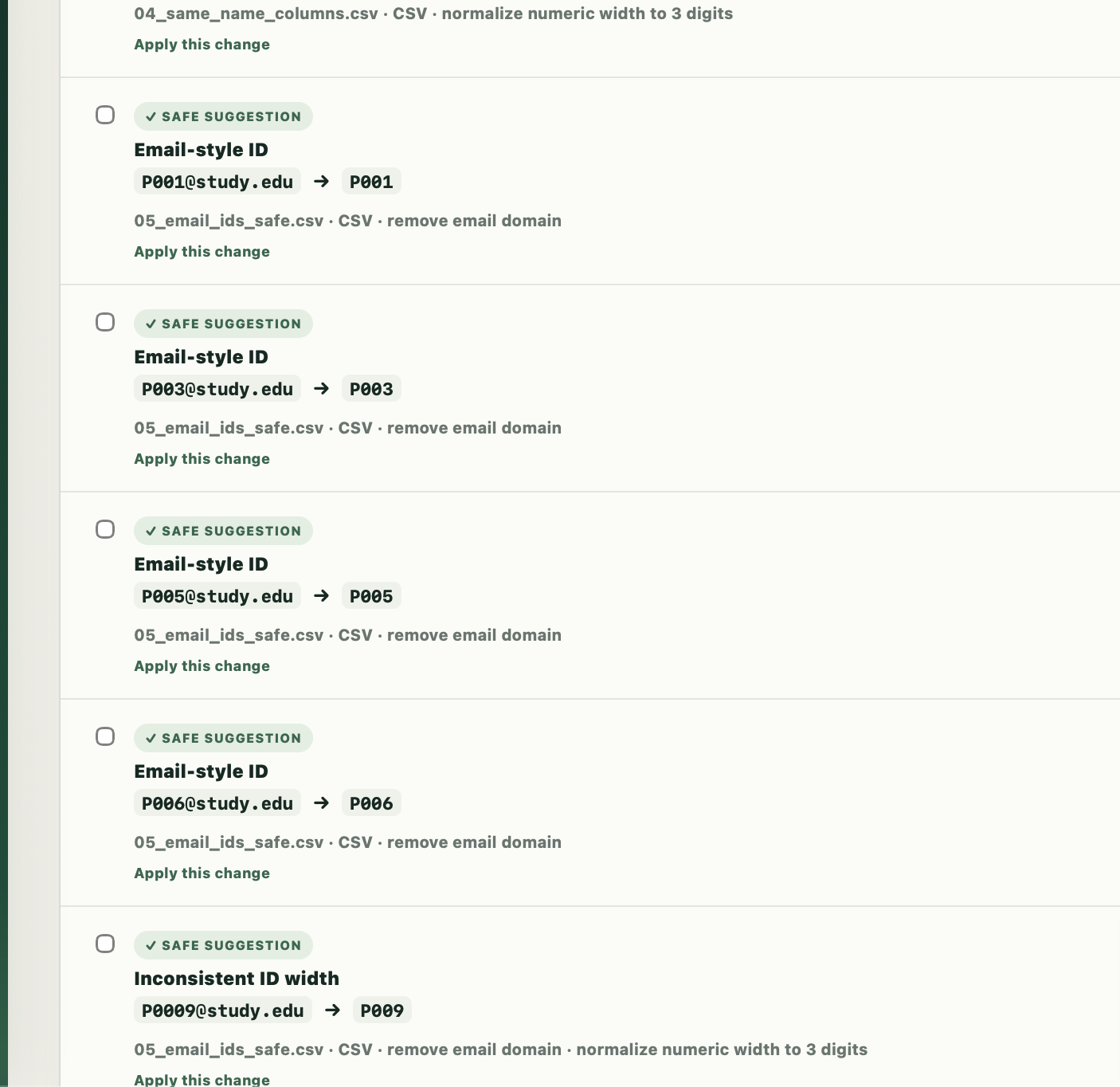
Formatting cleanup and possible near-ID matches stay visible until you approve them. If a cleanup would create a duplicate ID, the app blocks it rather than guessing. Your base table defines who belongs in the final dataset, and IDs found only in source files are reported, not silently added as new participants.

ID format review, showing safe suggestions that require approval.

The messy middle

The parts that usually cost an afternoon.

Most of the work in preparing study data is not the merge itself. It is everything that has to be true before the merge is safe.

  • ID mismatch review: spacing, padding, case, conservative prefix cleanup and possible near-ID matches
  • Repeated measurements: keep Baseline, Week 4, Week 8 as separate measurements, with bulk source labels
  • Duplicate protection: see duplicate and missing IDs before the merge
  • Completion filter: a separate analysis copy using a threshold you choose
  • Column conflict review: keep the base, use the source, fill blanks, or preserve another measurement explicitly
  • Merge record: a readable account of every cleanup and decision
  • De-identified copy: remove or replace identifying fields separately
  • Reshape tools: optional wide or long copies after the merge

Local by design

Your study files stay on your Mac.

Files are processed locally. Research data is never uploaded to IMPLEMON or to a third party, and the app works offline.

  • Excel .xlsx, CSV, TSV, SPSS .sav, Stata .dta, and text-based PDF
  • No AI, no cloud, no data uploads
  • Scanned or image-only PDFs are not automatically OCR’d
  • Searchable in-app help in English, Korean and Spanish
Adding research data files to a new merge.

02

Thinking

Why it behaves this way

The friction

A participant ID has an extra zero. One export has trailing spaces. Another file contains a duplicate. Two columns share a name but not the same values. A normal merge turns all of that into bad data without saying anything.

The question

Which of these decisions is the software actually entitled to make?

The rule

Surface, do not decide. Anything ambiguous becomes a review step rather than a silent fix.

The consequence

The app is slower to use than one that just merges, and that is the point. A cleanup that would collide with an existing ID is refused outright, because a blocked merge costs an afternoon and a wrong one costs a paper.

Still thinking about

How much of the review can be remembered between studies without the memory itself becoming a source of silent decisions.

A merge you cannot explain is not a result.

Cleaner merge. Clearer decisions.