IMPLEMON

Work Money in & out

LemonBook

Incomplete information is still information.

Save what you know now: an amount, a title, a note, a category, or just the receipt. Fill in the rest whenever you feel like it.

ReleasediPhone · iPadFree · in-app upgradeNo bank connection
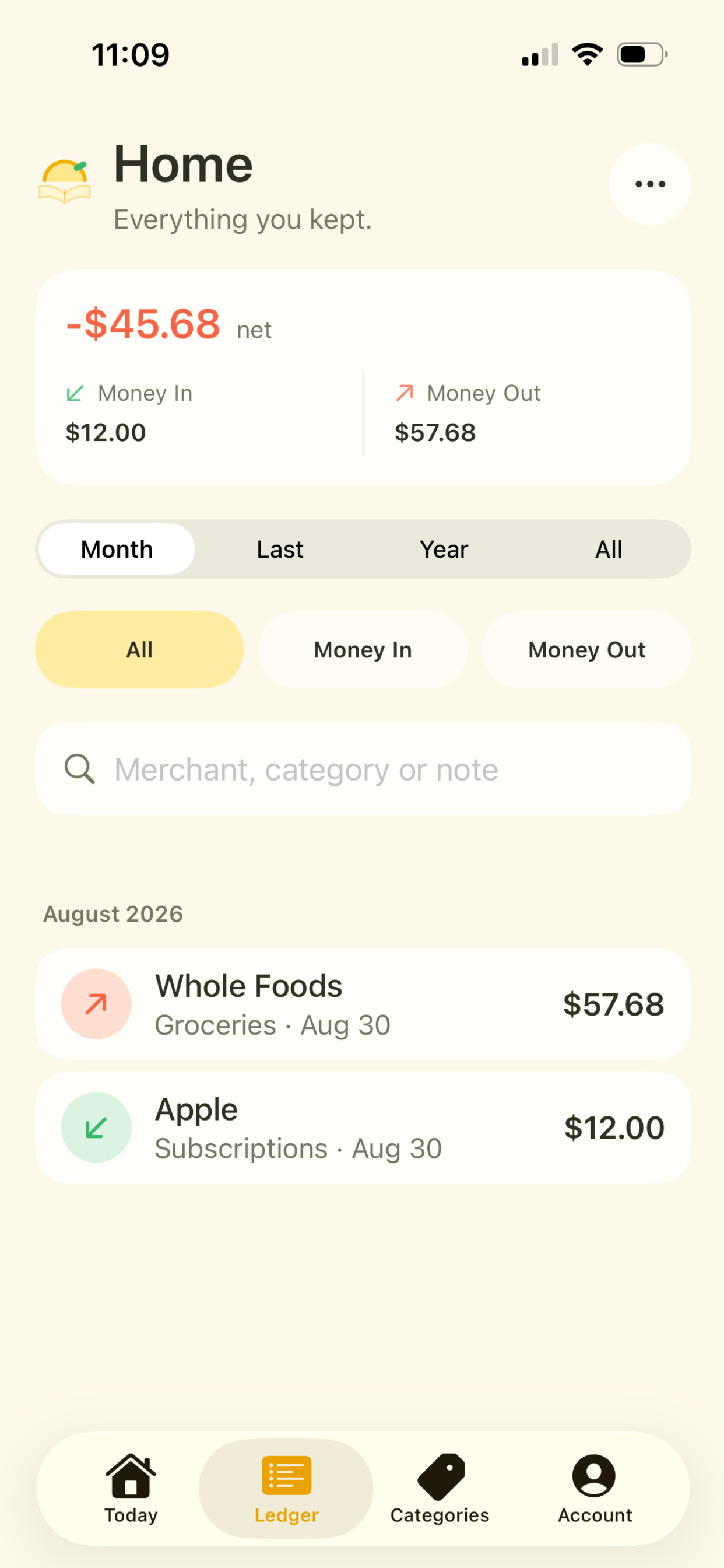
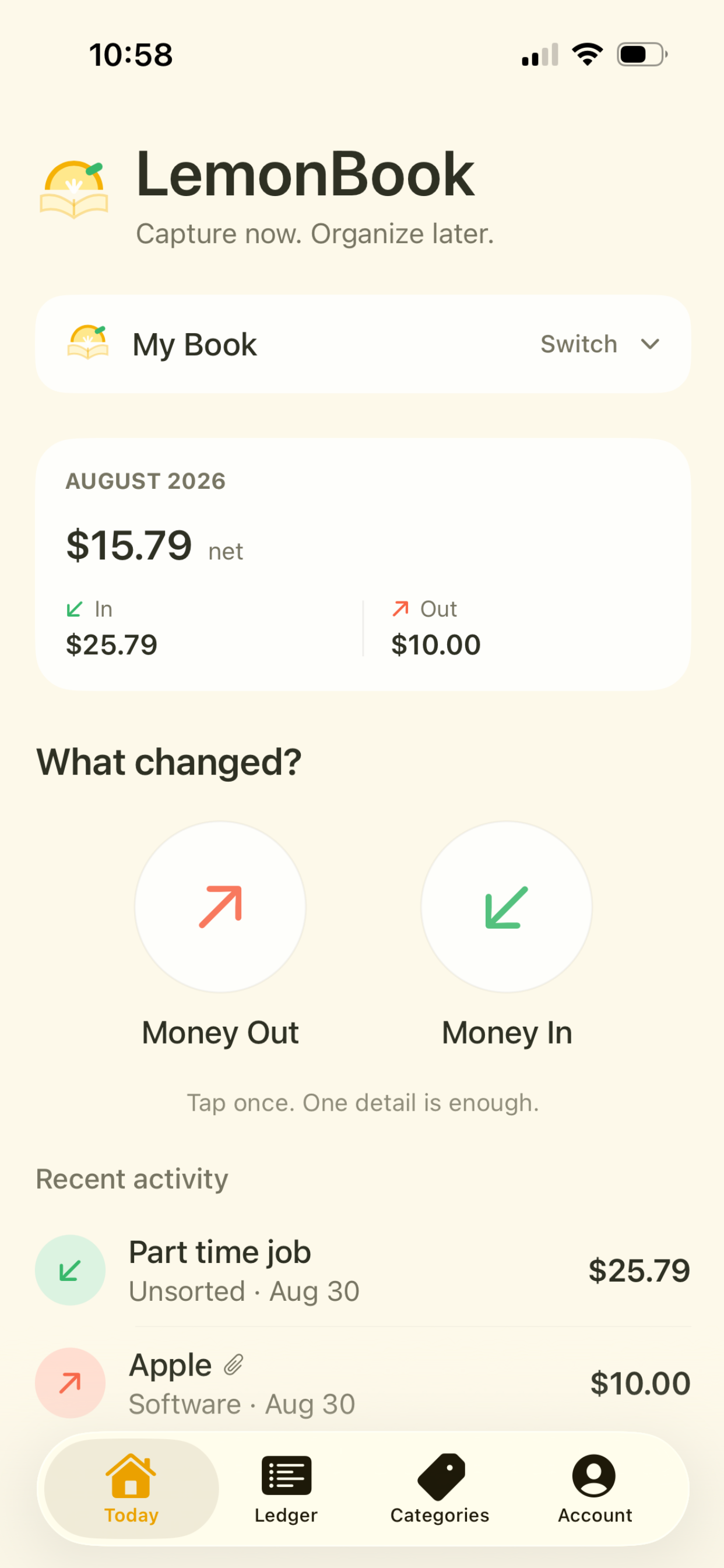
The LemonBook home screen.
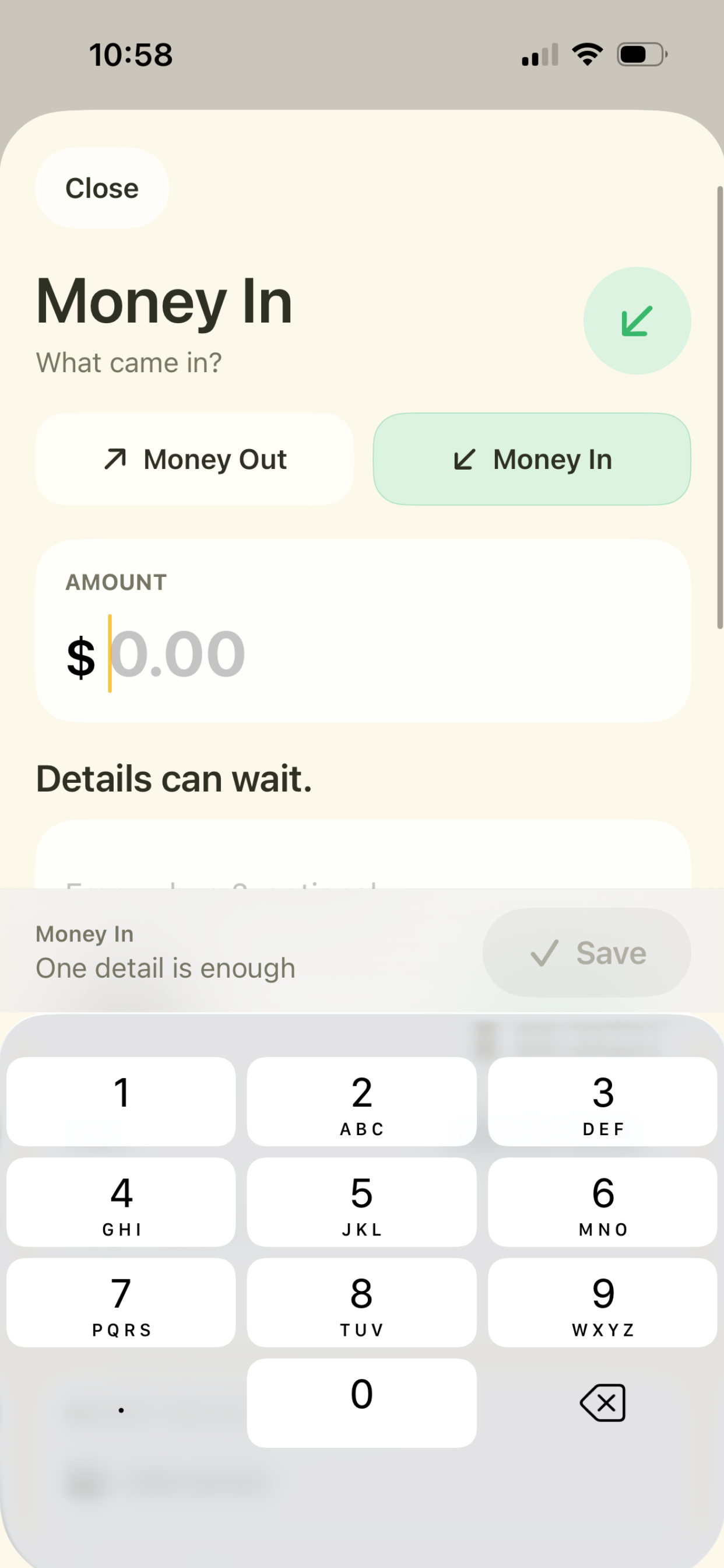
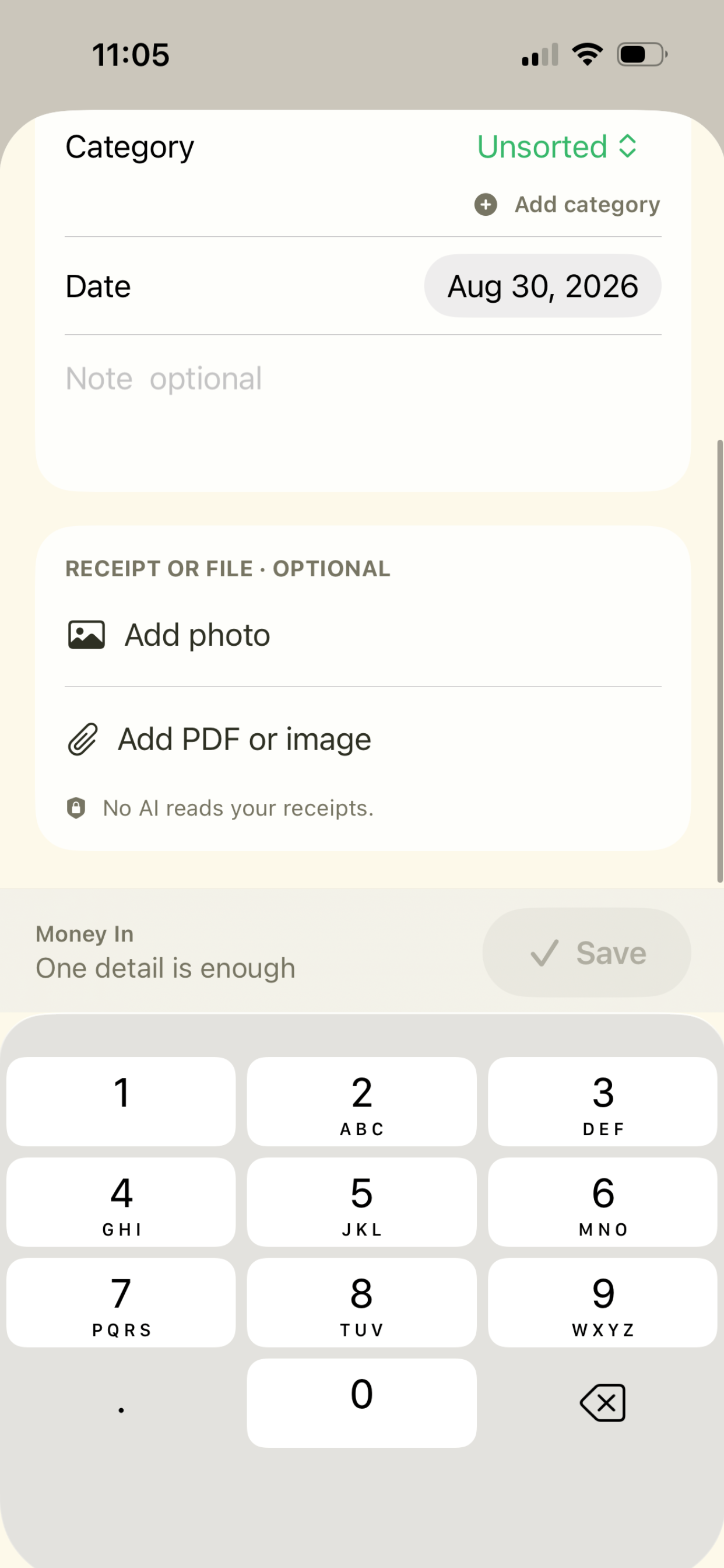
A LemonBook Money In entry with an empty amount field and the note: one detail is enough.

01

Product

What it does

One detail is enough

Save the clue. Skip the form.

You do not need a perfect record before you can save something. LemonBook is built for the moment when you know just enough to remember later.

  • Amount: know the number? Save it and move on
  • Title or note: “Whole Foods” or “Part time job” can be enough
  • Receipt: keep the photo now, add the details later
Fast capture

Money in. Money out.

Two clear directions and one quick entry screen. Add as much or as little as you know, and LemonBook stays out of the way until you need the details.

  • Amount optional
  • Custom categories
  • Notes
  • Receipts and files
Attaching a photo or PDF to a LemonBook entry.

Organize later

Find it when you need it.

Review totals, search by merchant, category or note, and filter money in and money out without turning everyday capture into bookkeeping homework.

The LemonBook ledger with search and filters.

Receipts

Keep the receipt. Skip the typing.

Attach a photo, a PDF or an image to the entry. LemonBook does not use AI to read your receipts, because that would be there for the announcement rather than for the person holding the receipt.

Your categories

Organize it your way.

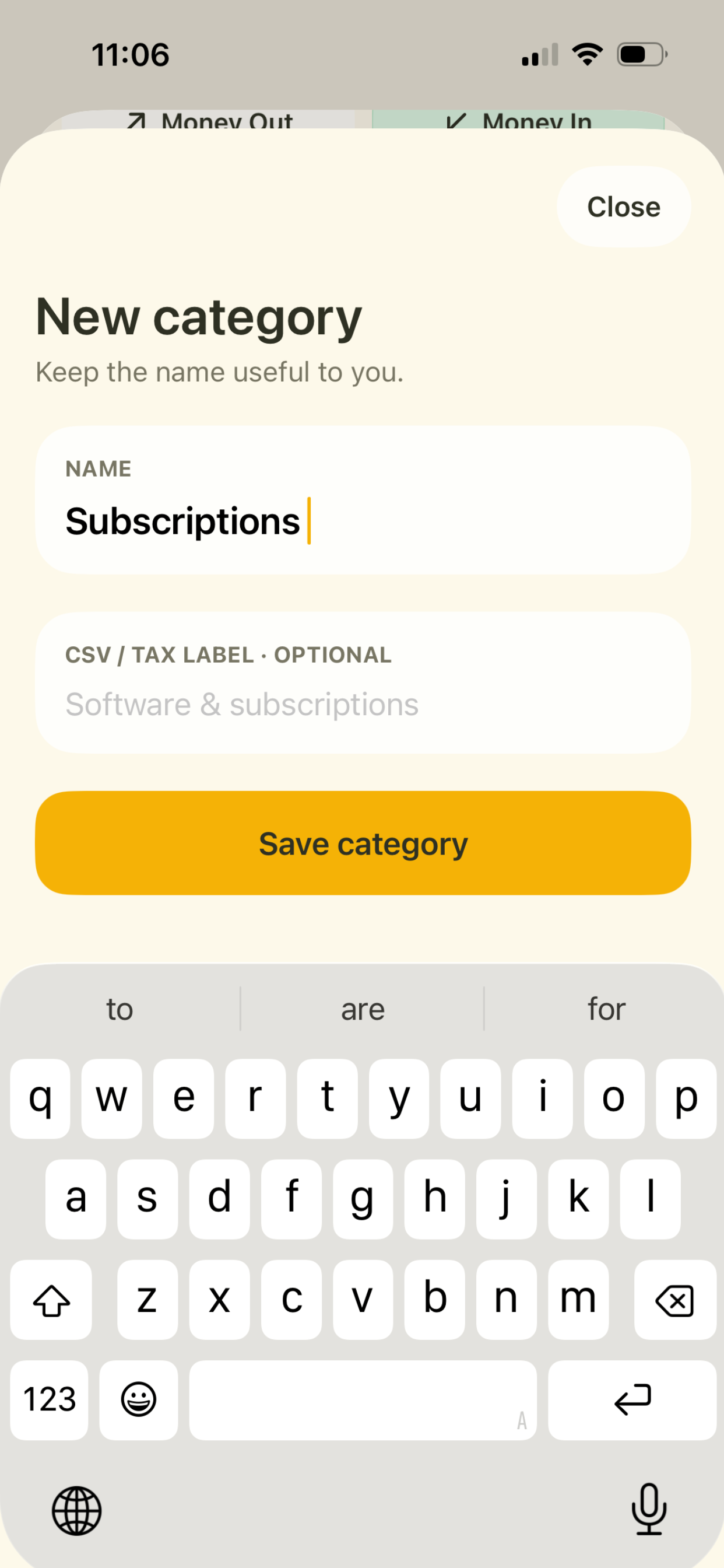
Create useful categories in your own words, with an optional CSV or tax label when you want cleaner exports later.

A custom category in LemonBook.

Books

Your records, where you need them.

LemonBook can sync your books through your private iCloud account, with no separate LemonBook account required. Plus unlocks more Books and additional organization tools with a one-time purchase.

  • One-time purchase, no subscription
  • No bank connection required
  • Not used for advertising

02

Thinking

Why it behaves this way

Observed

Small amounts went unrecorded. Not because entering them was hard, but because finishing the entry needed details we did not have yet.

Questioned

Why should missing information prevent capture?

Decided

Incomplete information is still information.

Built

Any one meaningful detail creates an entry: amount, title, note, category, or a receipt. Only a completely empty entry is refused.

Used

Then a later step asked for a choice the person had already made a moment earlier. The rule was right; the flow around it repeated itself.

Changed

Removed the repeated decision.

Still thinking about

Where the incomplete entries should resurface. Left alone they become a pile. Asked about too eagerly they become a chore. We have not settled it.

The cost of that decision

Letting an entry exist with almost nothing in it means the ledger contains rows that cannot be totalled. That is a real cost, and we chose it: a record you can complete later beats a record that was never made.

03

Notes

Where it came from

The scope was fixed before the first screen was drawn: money in and money out, and nothing else. Not budgeting, not forecasting, not double-entry. Every one of those is a bigger product than the problem, and each would have brought back the completeness requirement we were trying to get rid of.

The color language followed from the same decision. Lemon yellow is the app. Mint is money in, coral is money out, on a cream ground. Three colors, each carrying one piece of information, so that the direction of an entry is readable before you have read anything.

It also had to look nothing like Calemon. Two apps from the same small studio with a lemon in the name is already a lot to ask of an app grid.

Capture now. Organize later.