Research Data Mergerby IMPLEMON
Private research data preparation

Merge the files.
Not the uncertainty.

Research data rarely arrives in one clean table. Bring participant rosters, survey exports, study files, and other datasets together by ID — while keeping questionable matches visible for you to review.

MacLocal processingNo uploadsDecision log
Preparing for launchOne-time purchase planned
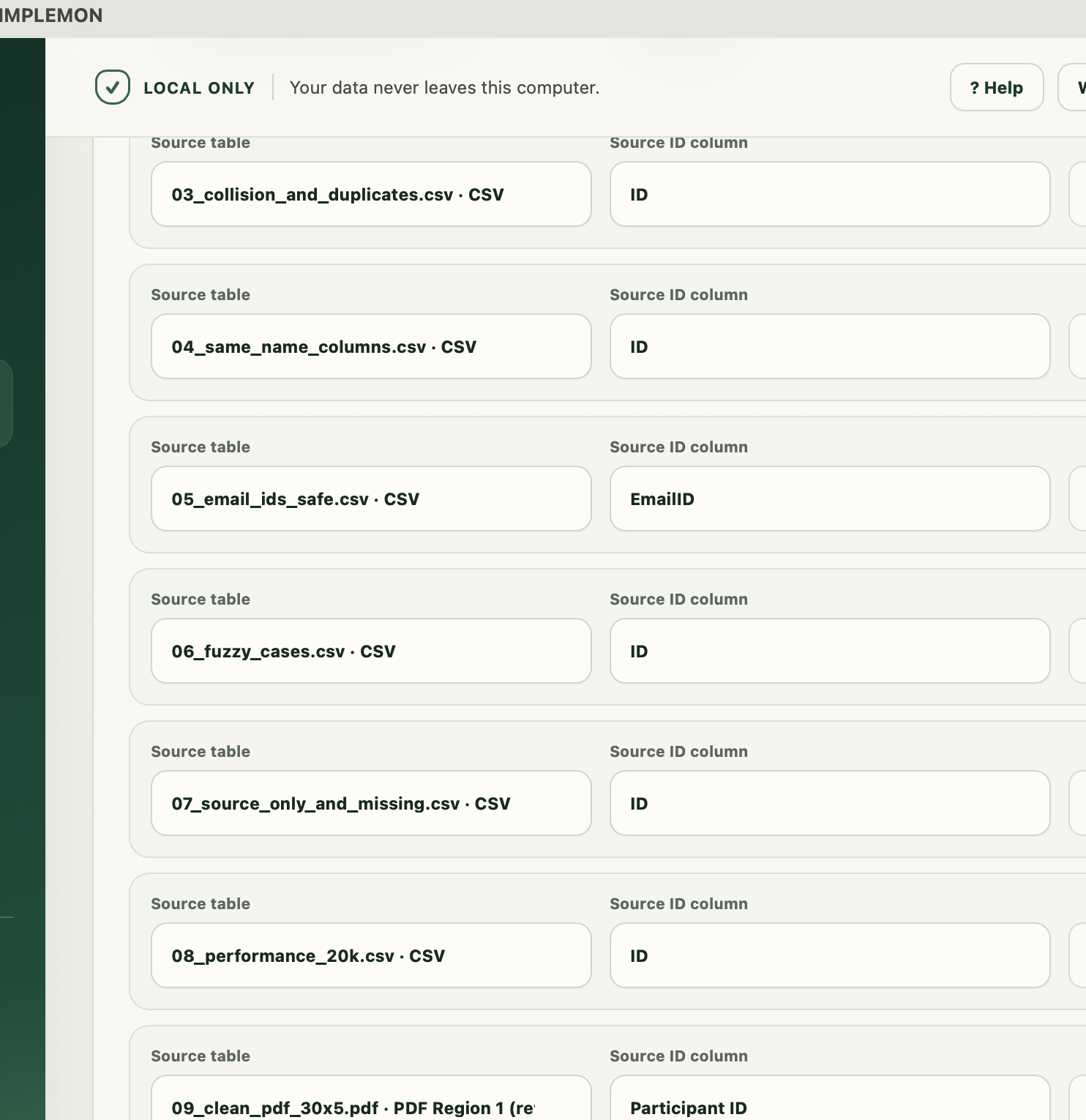
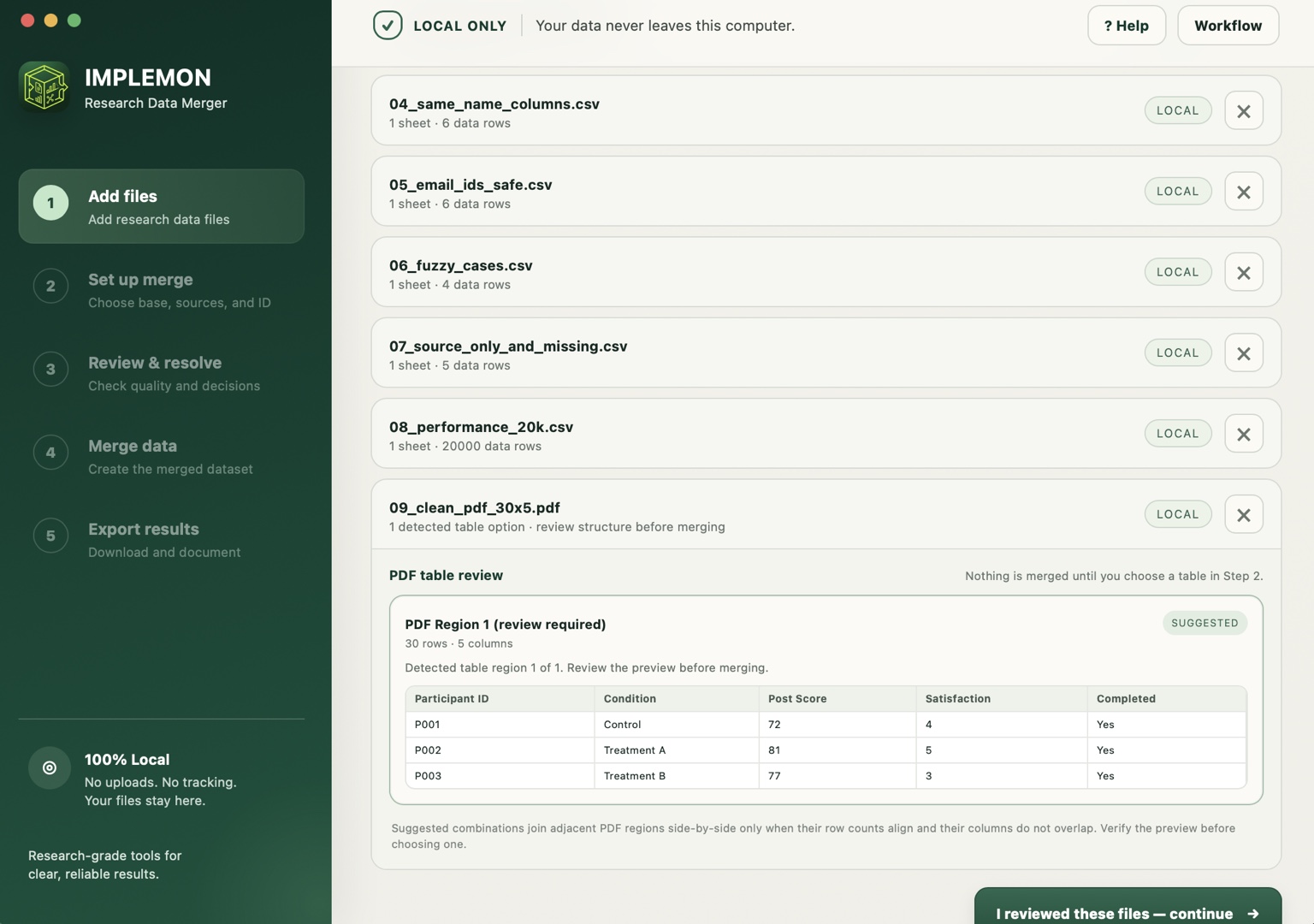
Research Data Merger Add files screen showing local research files and PDF table review
The problem

One study.
Several almost-matching files.

A participant ID has an extra zero. One export has spaces. Another file contains a duplicate. Two columns share a name but not the same values. A normal merge can quietly turn those details into bad data. Research Data Merger makes them review steps instead.

01

Add files

Load the tables that belong to the same study.

02

Choose IDs

Pick the base table and ID column for each source.

03

Review

See duplicates, formatting issues, near matches, and conflicts.

04

Approve

You decide which suggested changes are correct.

05

Export

Save merged data with audit and provenance records.

Review before merge

It can suggest.
It does not quietly decide.

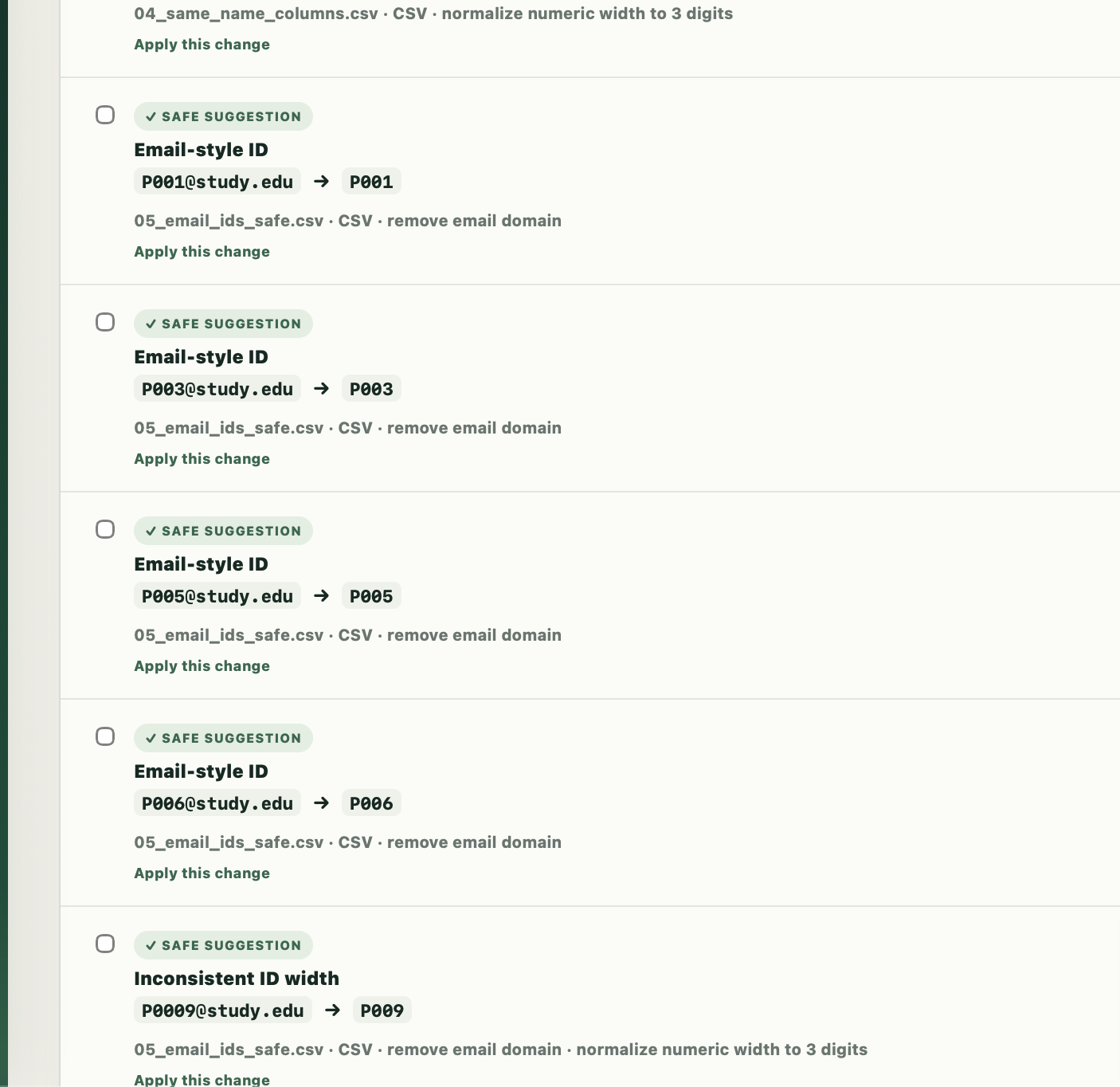
Formatting cleanup and possible near-ID matches stay visible until you approve them. If a cleanup would create a duplicate ID, the app blocks it instead of guessing.

Your base table defines who belongs in the final dataset. IDs found only in source files are reported, not silently added as new participants.

ID format review
P0009 → P009Inconsistent ID width
✓ SAFE SUGGESTION
*P010 → P010Unexpected prefix detected
✓ SAFE SUGGESTION
#P001 → P001Would collide with an existing ID
⚠ CANNOT APPLY
P003X → P003Possible near-ID match · review required
REVIEW
Research Data Merger ID format review showing safe suggestions that require user approval
Built for the messy middle

More than “combine these spreadsheets.”

ID mismatch review

Catch spacing, padding, case, email-style IDs, conservative symbol prefixes, and typo-like near matches.

Duplicate protection

See duplicate and missing IDs before the merge, with collision-causing cleanups blocked.

Column conflict review

When same-name columns disagree, choose what should happen instead of losing the difference.

Merge record

Keep a readable record of ID cleanups, reviewed matches, source-only IDs, and column decisions.

De-identification

Create a de-identified copy after merging when you need a cleaner dataset for downstream work.

Reshape tools

Optional wide/long reshaping is available after the merge without turning the app into a statistics package.

A workflow you can see

Set it up. Review it. Check the result.

Research Data Merger setup screen with source tables and ID columns
Choose how tables line up

Select the base table and the ID column for each source before anything is merged.

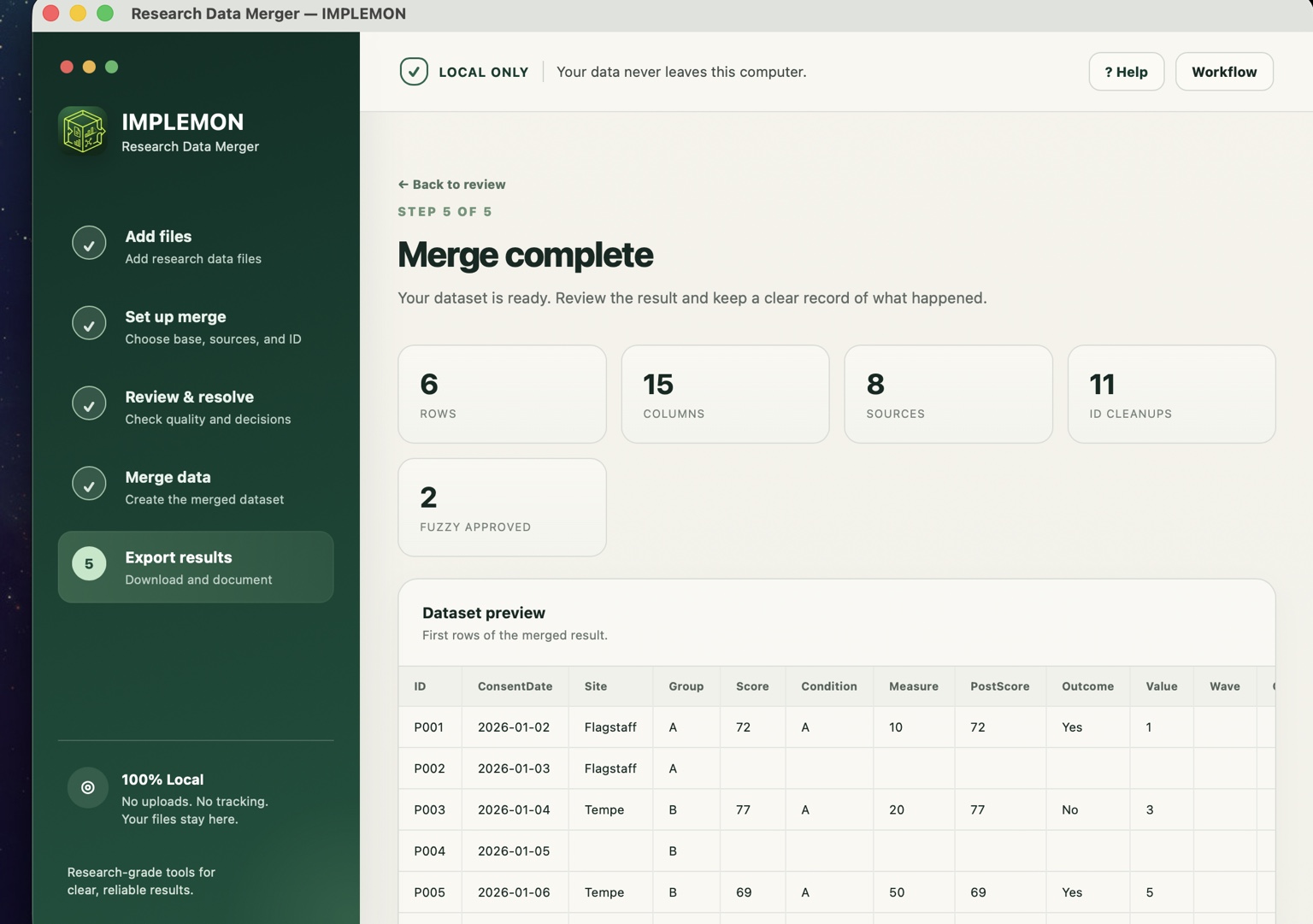
Research Data Merger merge complete screen with dataset preview
See what the merge produced

Check row, column, source, cleanup, and reviewed-match counts before exporting the result.

Local by design

Your study files stay on your Mac.

NO AINO CLOUDNO DATA UPLOADSNO INTERNET REQUIRED

Your files are processed locally on your Mac. Your research data is not sent to IMPLEMON or a third-party server.

Excel .xlsxCSVTSVSPSS .savStata .dtaText-based PDF
100% local processing.

Open your files, review the merge, and export the result without uploading your study data. Text-based PDFs are supported; scanned/image-only PDFs are not automatically OCR’d.

Who it is for

For researchers who spend too much time fixing the merge.

Useful for behavioral and social science workflows, survey studies, participant panels, lab rosters, longitudinal files, and other projects where several datasets need to line up by ID.

It can also work with other ID-based datasets, but the product is intentionally designed around research data preparation first.

Research Data Merger

Cleaner merge. Clearer decisions.

Mac · local processing · one-time purchase planned. Preparing for launch.

Coming soon