Catch the useful part.
Keep text, photos, links and files in a note. Add the reason you saved them while it is still fresh. A pocket is optional.

Don’t organize.
Just find.
The screenshot, the useful link, the command that finally worked. Save it while it matters. Find it when it matters again.
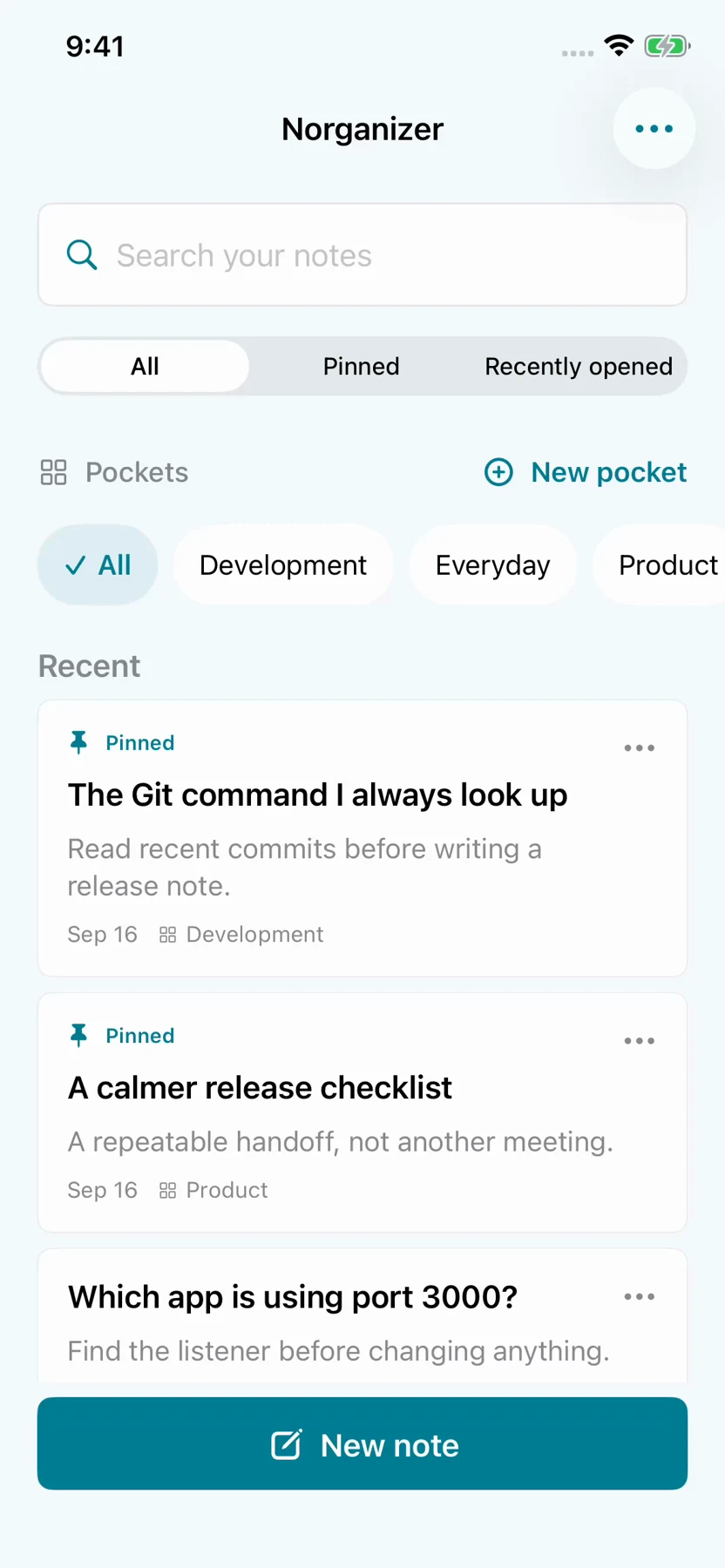
Save first.
Organization can wait.
Keep text, photos, links and files in a note. Add the reason you saved them while it is still fresh. A pocket is optional.
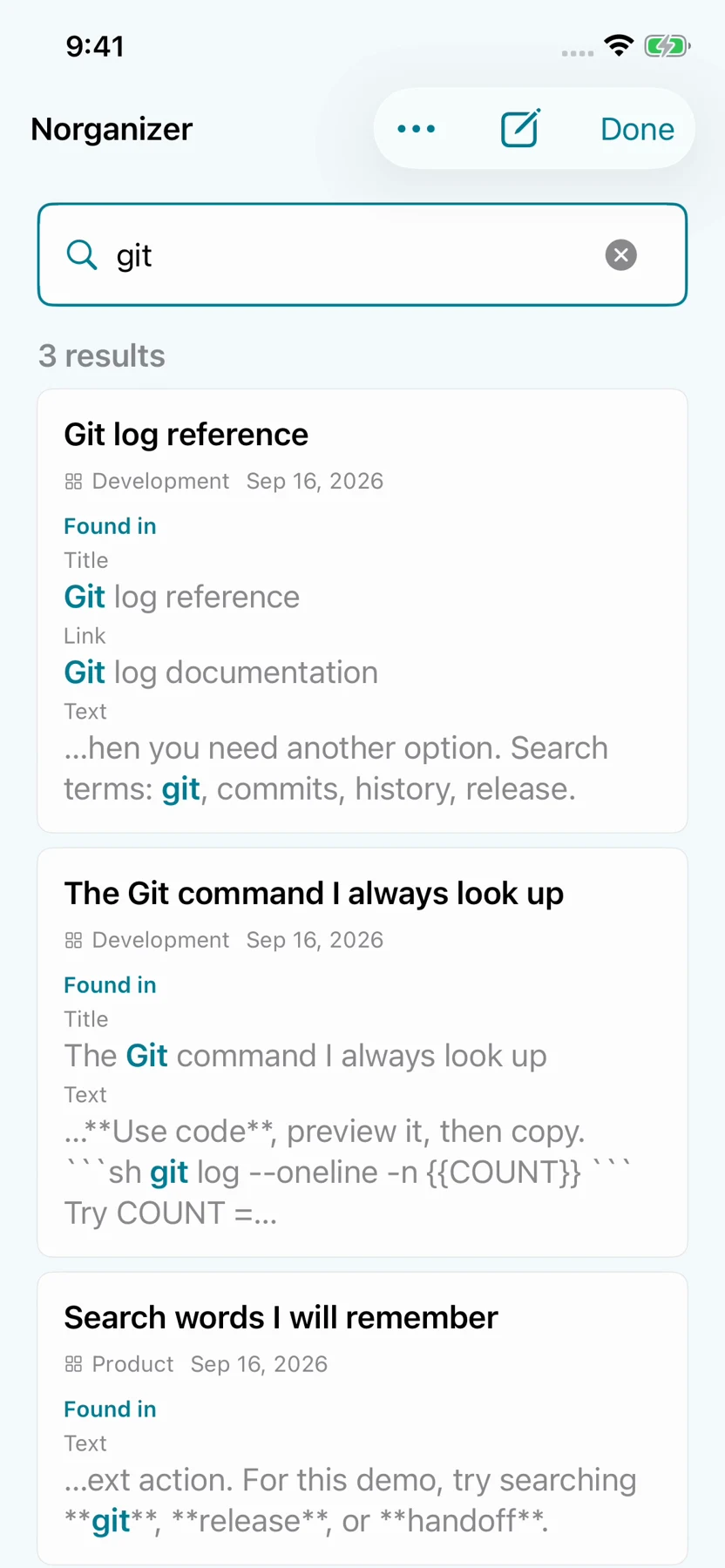
Search the words you remember. See where the match was found, then open the note with its context intact.
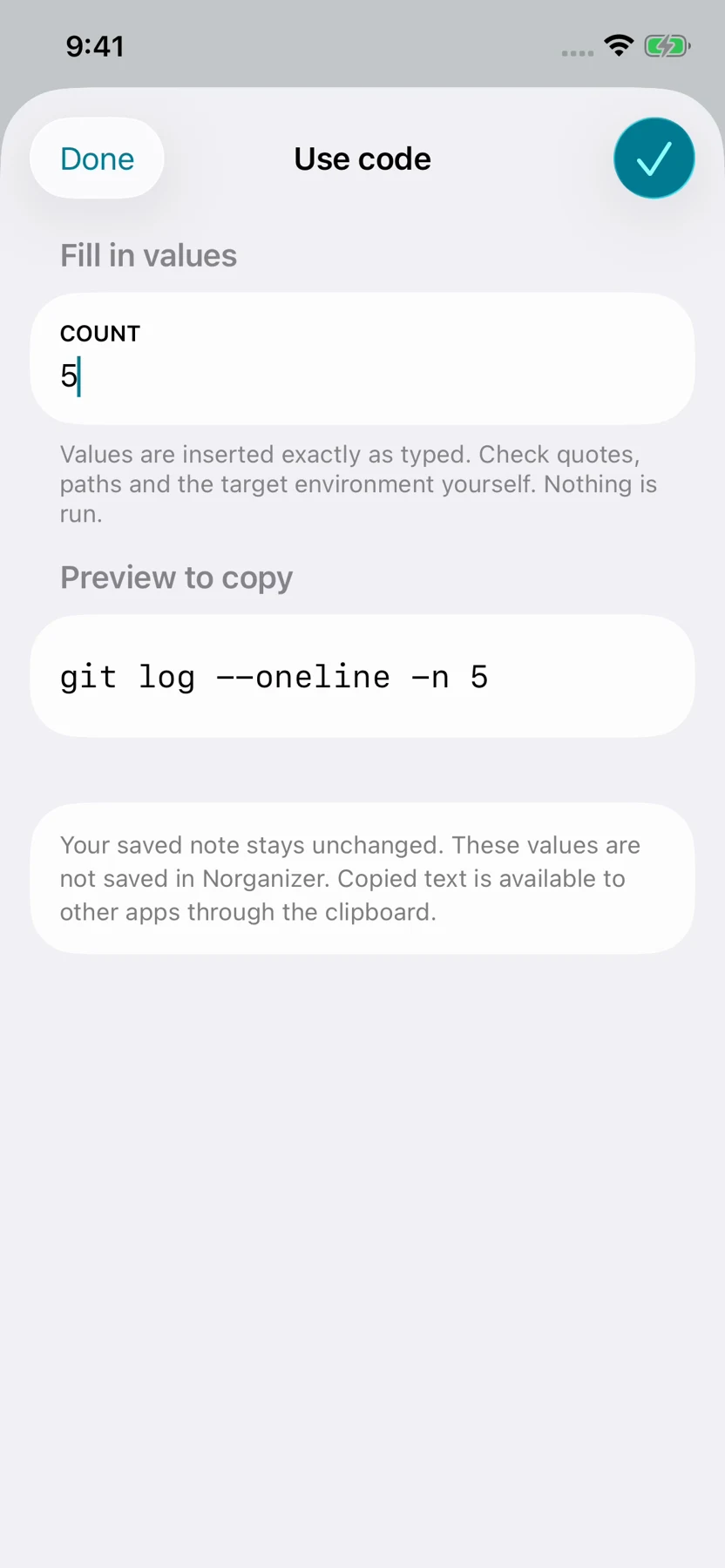
Copy a useful command, fill its placeholders, or duplicate a note for a new variation. Keep your starting point ready for next time.
You do not need to remember which pocket you chose. Search brings back matching notes and shows the words that led you there.
A command is more useful when you remember why it worked. Keep the explanation beside it, fill in values when needed, and inspect the exact text before copying.
Use code prepares text to copy; it does not execute commands. Your saved note stays unchanged.
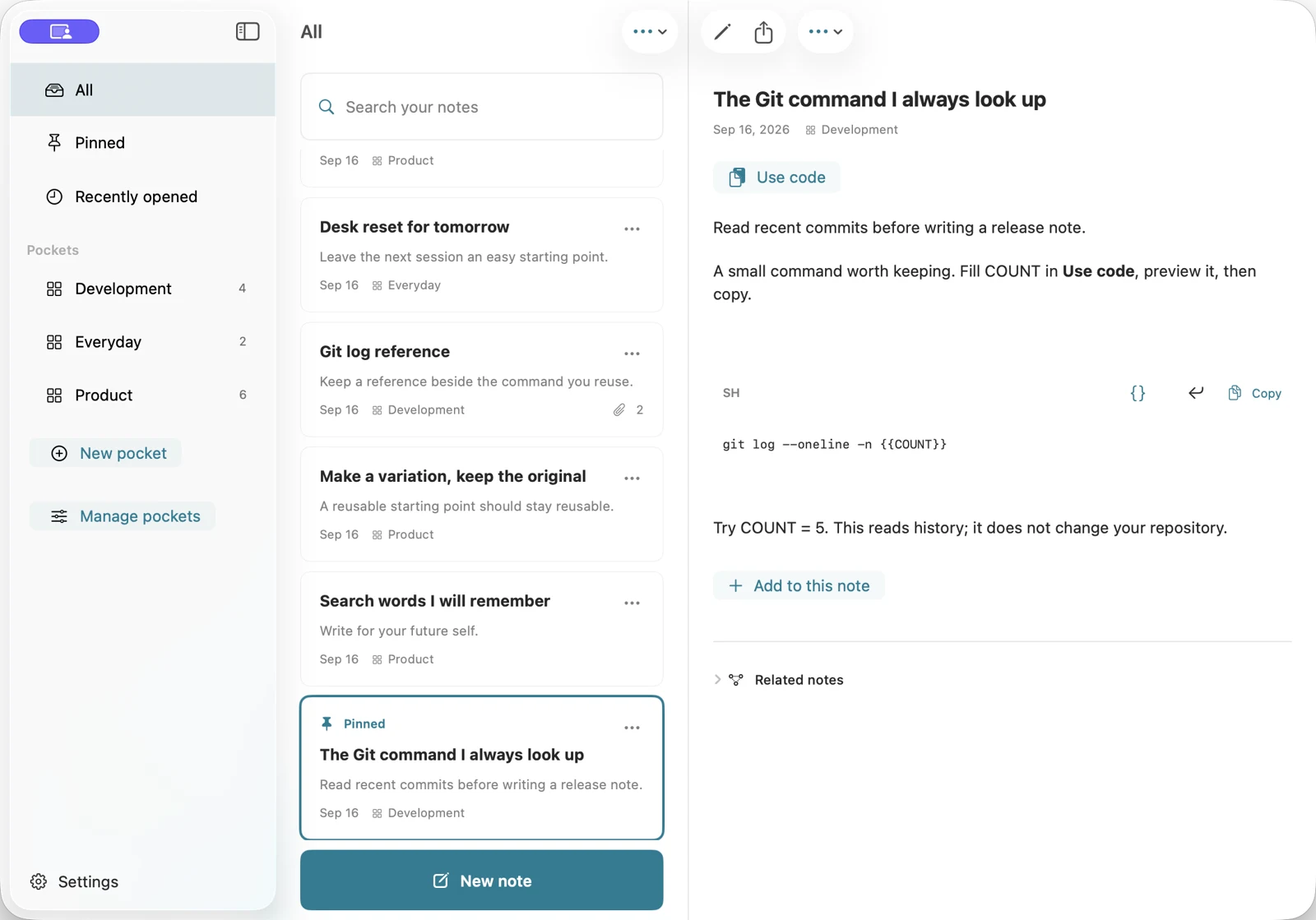
Capture on iPhone, browse with context on iPad, and keep your library beside the note on Mac. Pockets give you a place to group things when that helps.
A useful answer often arrives in the middle of something else. A screenshot, a link, a few lines of code. Asking you to design a filing system at that moment makes it easier to save nothing at all.
Norganizer starts with the note. Add the context you will need later. Search when you remember a word. Use pockets when grouping helps. The point is to make saved information useful again.
Keep what worked. Use it again.
A place for the things
worth finding again.
Norganizer is in development for iPhone, iPad and Mac.